
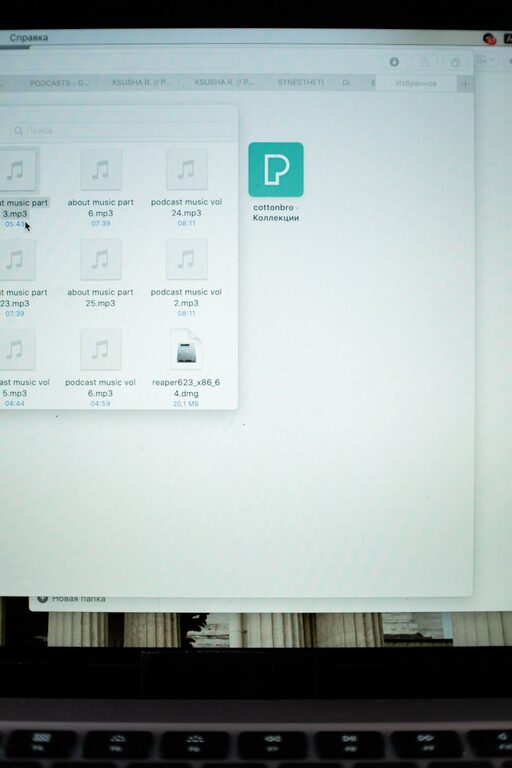
Keeping your computer files organized can save you time, reduce stress, and make your digital workspace more efficient. Whether you use your computer for work, school, or personal projects, a clear and structured file system is essential. If your desktop is cluttered, folders are a mess, or you struggle to find important documents, this guide is for you. Here are practical tips to help you get and stay organized.
Why Organize Your Files?
Before diving into tips, let’s quickly explore why organizing files matters:
– Easier access: Find documents quickly without endless searching.
– Improved productivity: Spend less time managing files and more time on tasks.
– Backup and security: Organized files back up more efficiently and reduce the risk of lost data.
– Professionalism: A tidy file system looks better when sharing or collaborating.
1. Plan Your Folder Structure
Start by creating a logical folder hierarchy that suits your needs.
Consider Categories
Think about broad categories such as:
– Work
– Personal
– School
– Projects
– Photos
– Finances
Create Subfolders
Within each category, make subfolders for more specific sorting:
– Work > Reports > 2024
– Personal > Travel > Italy Trip
– Projects > Website Redesign > Assets
2. Use Clear and Consistent Naming Conventions
File and folder names should be descriptive and follow a consistent pattern.
Tips for Naming Files
– Use dates in YYYY-MM-DD format for chronological sorting (e.g., 2024-06-15_ProjectReport.docx).
– Include keywords related to the content or purpose.
– Avoid spaces and special characters; use underscores (_) or hyphens (-) instead.
– Keep names short but informative.
Example
Instead of a vague name like “doc1.docx,” use “Meeting_Notes_2024-06-10.docx.”
3. Regularly Declutter and Delete Unnecessary Files
Set aside time, weekly or monthly, to review your files.
– Delete duplicates or outdated files.
– Remove downloads or files you no longer need.
– Archive older files you wish to keep but rarely access by moving them to an external drive or cloud storage.
4. Utilize Cloud Storage and Backups
Protect your files by backing them up regularly.
– Use cloud services like Google Drive, Dropbox, or OneDrive to store important files safely.
– Backup files automatically using backup software or the built-in tools your operating system offers.
– Keep local backups on external drives for extra security.
5. Take Advantage of Software Tools
Many tools can help you organize and manage files more efficiently.
– File management apps offer batch renaming, duplicate detection, and file sorting.
– Desktop search tools help locate files quickly.
– Automation tools can move or rename files based on rules you set.
6. Organize Your Desktop
A cluttered desktop slows you down and makes finding files difficult.
– Limit desktop items to shortcuts or files you need daily.
– Create folders on your desktop to group related items.
– Clean up regularly to maintain a tidy workspace.
7. Use Tags and Metadata Where Possible
Some operating systems allow adding tags or comments to files.
– Tags help categorize files across folders.
– They make searching and filtering easier.
– Use meaningful tags related to projects, priority, or topics.
8. Establish File Management Habits
Consistency is key for lasting organization.
– Save new files in the correct folders immediately.
– Name files properly when saving.
– Avoid saving everything on the desktop or downloads folder.
– Set reminders to review and clean files regularly.
9. Organize Emails and Attachments
Files received via email can clutter your system if left unmanaged.
– Save important attachments directly into the appropriate folders.
– Delete or archive old emails to reduce inbox clutter.
– Use email software features to categorize and flag messages.
Conclusion
Organizing files on your computer doesn’t need to be overwhelming. By planning your folder structure, naming files clearly, decluttering regularly, and using helpful tools, you can maintain a tidy digital workspace that boosts your productivity. Establishing consistent habits will keep your computer files organized over time and make your work easier.
Start with small steps today, and enjoy the benefits of a well-organized system!