
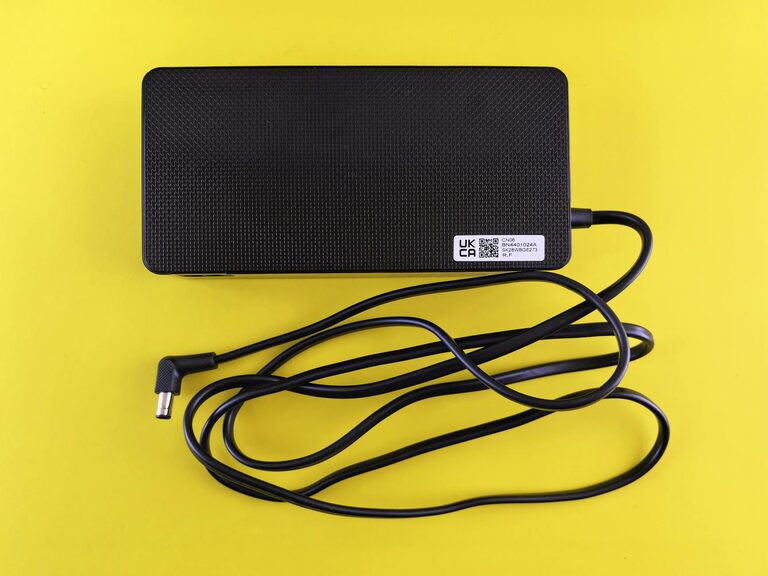
Setting up a dedicated charging station for your devices is a simple way to keep your gadgets organized and ready to use. Whether you have smartphones, tablets, smartwatches, or other electronics, a well-planned charging station helps reduce clutter and ensures all devices are charged efficiently.
In this guide, we’ll walk you through the steps to create an effective charging station tailored to your needs.
Why Create a Charging Station?
Many people struggle with tangled cables, misplaced chargers, or devices running out of battery when needed. A charging station:
– Keeps multiple devices charged in one place
– Organizes cables to prevent tangling
– Saves space on desks or countertops
– Adds an element of neatness and style
With some planning and simple tools, you can build a charging station at home that fits your lifestyle.
What You’ll Need
Before starting, gather the following materials and tools:
– Power strip with multiple outlets and USB ports
– Charging cables compatible with your devices
– Charging dock or stand (optional, for certain devices)
– Cable organizers such as clips, ties, or sleeves
– Container or tray to hold small accessories
– Labels (optional, to identify cables or devices)
– A suitable surface such as a shelf, desk corner, or wall-mounted panel
Step 1: Choose the Location
Select a convenient and accessible spot for your charging station. Some popular options include:
– Near your main seating area or desk
– On a kitchen counter or side table
– At an entryway where you drop off devices when coming home
Make sure the location has access to a power outlet and is safe from spills or accidental damage.
Step 2: Prepare Power Sources
If your devices use different chargers, a power strip with multiple outlets is essential. Consider these tips:
– Use a power strip with built-in USB ports to reduce the number of chargers
– Make sure the power strip supports surge protection for extra safety
– Conceal power strips behind furniture or inside containers to keep the area tidy
Step 3: Organize Cables
Untangling cables can be frustrating, so organizing them is key. Here’s how:
– Use cable clips or holders to anchor cables onto surfaces
– Bundle excess cable length with Velcro ties or twist ties
– Label cables to easily identify which belongs to which device
– Use a cable management sleeve to combine several cables into one neat bundle
Keeping cables separated and accessible will make connecting and disconnecting devices easier.
Step 4: Select Device Holders or Stands
Depending on the types of devices you have, using holders or stands can help:
– Phone stands or docks keep phones upright and visible
– Tablet stands make it easy to use the device while charging
– Multi-device charging trays provide designated spots for each gadget
You can buy ready-made holders or customize ones using baskets, boxes, or DIY wooden stands.
Step 5: Arrange Your Devices
Plug in your charging devices and arrange them neatly on the station surface:
– Place frequently used devices within easy reach
– Avoid stacking devices to prevent overheating
– Use small containers to hold accessories like earbuds, adapters, or batteries
Pay attention to air circulation around devices while charging.
Tips for Maintaining Your Charging Station
To keep your station tidy and effective over time:
– Regularly check cables for damage or wear and replace if necessary
– Unplug devices once fully charged to save energy and reduce heat
– Update charging accessories as needed to stay compatible with new devices
– Clean the area periodically to avoid dust buildup
Optional Upgrades
If you want to enhance your charging station experience, consider:
– Adding LED lights for visibility and aesthetics
– Installing a wireless charging pad for compatible devices
– Using a wall-mounted system to save surface space
– Integrating a small shelf or drawer for additional storage
These upgrades can increase convenience and make the charging station a focal point in your room.
Final Thoughts
Setting up a charging station for your devices doesn’t have to be complicated or expensive. By choosing the right location, organizing cables, and arranging your gadgets smartly, you can create a clutter-free and efficient charging hub at home.
This small improvement makes keeping your devices powered effortless and helps reduce the stress of searching for chargers or dealing with messy wires.
Give it a try today and enjoy the convenience of a well-organized charging setup!